
Your organization is moving from RT 4.4 or RT 5 to RT 6. This page is your orientation. It covers what changed, what you will notice when you log in, and where to watch each new feature in action. Most videos run under ten minutes.
What stays the same
RT is still the ticketing system you know. Queues, tickets, ticket history, email replies, saved searches, and dashboards all carry forward. You do not need to relearn how to reply to a ticket or where your work lives.
What gets better
Pages respond without reloading. Ticket pages can be laid out to fit how your team works. The message editor has been updated. Statuses are easier to read at a glance. Several everyday actions, like creating a ticket or updating a field, now take fewer clicks. The sections below walk through each change.
Start here
Want the full tour (about an hour)? Watch What’s New in RT 6. It covers every major change with live demonstrations.
What’s new, feature by feature
Click any image to watch the video or read the post.
Faster page interactions

RT 6 uses htmx to handle interactions in the browser without reloading the whole page. Nearly every interaction is faster as a result. Opening a ticket, updating a field, replying, and searching all feel more direct because the page updates in place instead of redrawing.
What you will notice: less waiting, fewer page flashes, and the ability to change ticket fields directly on a ticket page or in search results when your administrator has inline editing enabled.
▶ Watch: New page interactions with htmx (5:03)
Read: Developer Preview: Request Tracker 6
Page layouts

Ticket, asset, and catalog pages are now built from widgets that your administrator can arrange without writing code. Layouts can differ by queue or by a custom field value, so a support ticket and a facilities request can each show the information that matters most for that kind of work.
What you will notice: the ticket page may look different from what you had in RT 4.4 or RT 5, and it may look different across queues. Where each piece of information sits was a deliberate choice for your team.
▶ Watch: RT 6 Page Layouts (9:26)
Read: Request Tracker 6.0.0 Released
Refreshed look

The interface was rebuilt on Bootstrap 5. Ticket and asset statuses can display as colored badges, with the color set per status, so “new,” “open,” and “resolved” are readable at a glance in ticket lists and on ticket pages.
What you will notice: cleaner spacing, updated menus and forms, and status colors in your searches and dashboards.
▶ Watch: RT 6 Preview: Visual Updates (5:24)
Read: Request Tracker 6.0.0 Released
New reply and comment editor

Replies and comments use CKEditor 5. It supports rich text formatting and handles images in a way that matches what you expect from current email and document tools.
What you will notice: a new toolbar when you reply or comment, and now you can paste images in the body of the message.
▶ Watch: RT 6 with CKEditor 5 (6:54)
Read: RT 6 Beta Coming Soon: New Features Preview
Ticket Description field

Tickets can carry an optional Description field that stores context beyond the subject line and the initial message. Use it for the current summary of the request, the agreed scope, or anything a teammate should read first.
What you will notice: if your administrator has enabled it, a Description area on the ticket page, separate from the conversation, so the summary does not get buried in history.
▶ Watch: RT 6 Ticket Descriptions (6:46)
Read: RT 6 Beta Coming Soon: New Features Preview
Auto-refresh per saved search

Each saved search on your home page or dashboard can refresh on its own schedule. This replaces the previous page-wide refresh setting. Saved searches on dashboards also support pagination and sortable column headers.
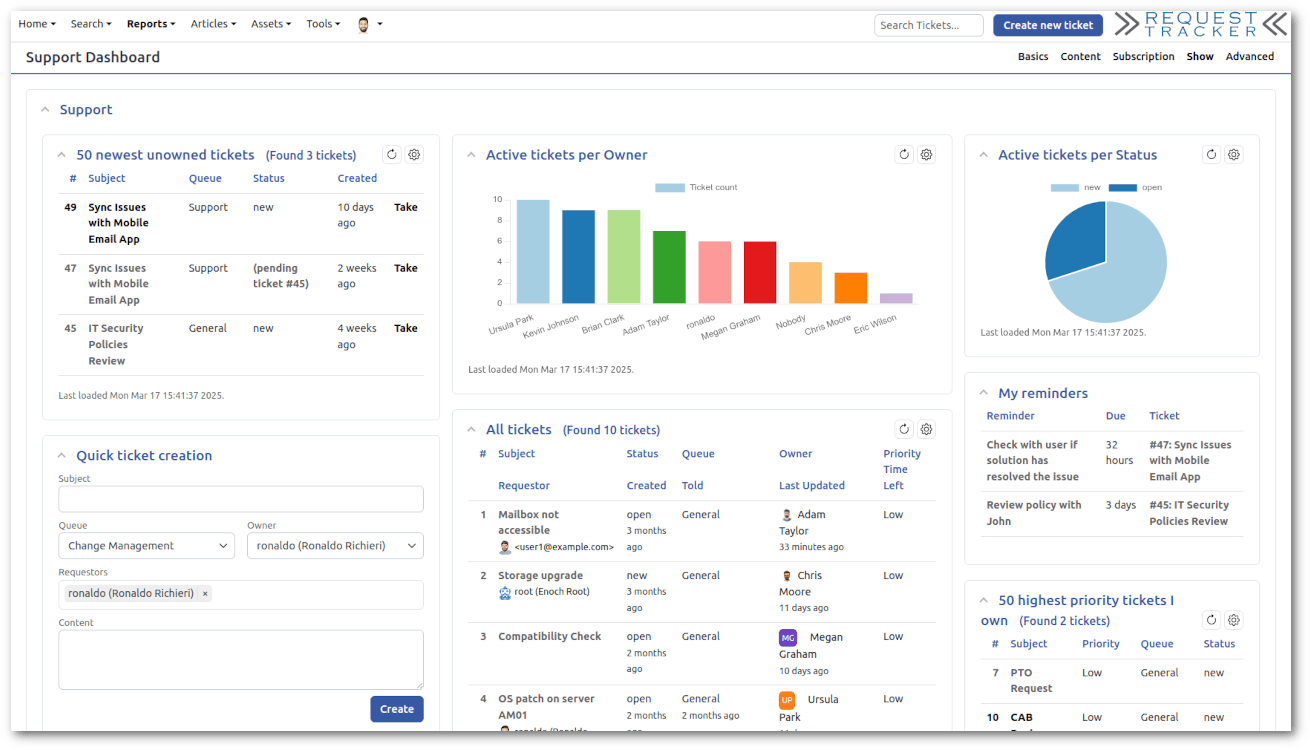
What you will notice: you can set a queue’s “unowned tickets” search to refresh every minute while leaving a monthly report alone. Refreshing one search does not reload the whole page.
▶ Watch: RT 6 Auto Refresh Updates (4:44)
Read: RT 6 Beta Coming Soon: New Features Preview
Quick Create

The Quick Create portlet creates a ticket from your home page or dashboard without a full page reload, and it supports custom fields.
What you will notice: logging a quick request takes a few seconds and keeps you on the page you were working from.
▶ Watch: RT 6 Preview: Quick Create (3:31)
Read: Developer Preview: Request Tracker 6
RT 6.0.3 refinements

If your organization is on RT 6.0.3 or later, you also get these changes:
- Search phrases. Typing several words into the simple search box now searches for them as a phrase.
- Denser custom field display. Custom fields arrange into multiple columns based on available space, so long lists take less scrolling. Administrators can adjust the width.
- History background toggle. A per-message button switches the background of a history entry, which helps when an email arrives with styling that clashes with the page.
- Keyboard navigation in menus. Arrow keys move through menus.
Read: New in RT 6.0.3: Search phrases, Denser CF display, History toggle background
Next steps
Training
Best Practical runs live online RT 6 training sessions with tracks for User Training, Administration, System Administration, RTIR, Integration and Automation, and Development. Private customized sessions are available for teams.
Upgrade help
If you would like Best Practical to plan or perform the upgrade, or to provide support after it, we can help. Our engineers work directly with your team and your existing configuration.
Keep up with RT 6
New features and point releases are announced on the blog and on our YouTube channel. Both are good places to check when a new version reaches your organization.